


1 min read
Generate a Privacy Policy
If you do not have an existing Privacy Policy, you can create and host your Privacy Policy page directly in Prenly.
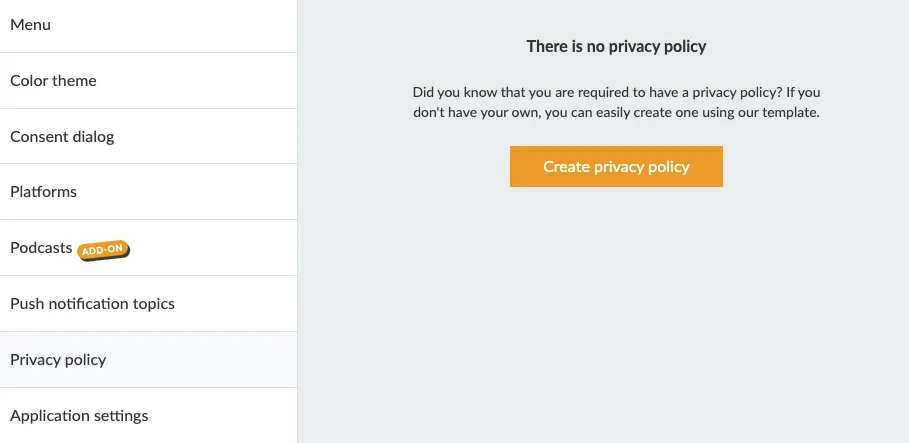
In Prenly Workspace in the left-hand menu, click Applications and select your application where you want to add the Privacy Policy. In the application menu, click Privacy Policy.
Here you can get started on creating your privacy policy.
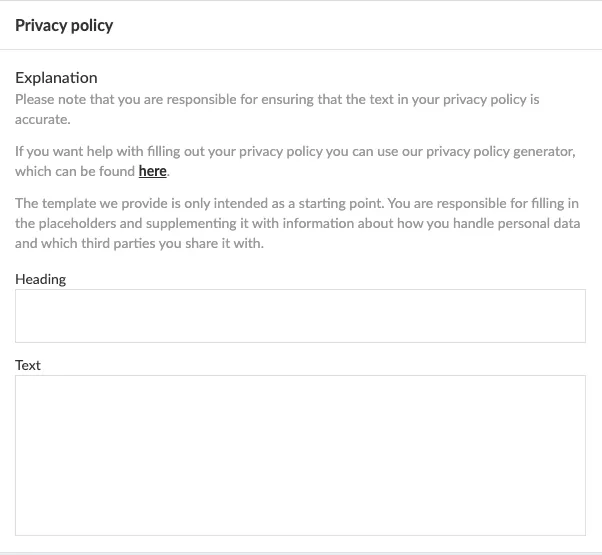
Next you can either paste in existing content, or, if you do not have an existing Privacy Policy, you can use our tool to generate a new Privacy Policy: https://privacy.prenly.co/
In the top-right corner, select the language selector to switch to your preferred language.
This is important to remember:
- You are always the Data Controller who has the responsibility to ensure that the policy is correct for your company.
- Please note that the page currently doesn't store things, so reloading the web page will empty the form.