Add and play podcasts in your apps - Prenly
Display and play podcast episodes directly in your apps, so users can browse and listen without leaving the app. This keeps users in one place and gives them another reason to come back, even when there is no new publication yet. It’s a simple way to increase engagement and make your app more valuable.
Live example
See how podcasts look on the web application or mobile apps.
thisis.prenly.com →
How to activate it?
If you are interested in the podcast feature, send us a message at hello@prenly.com.
We’ll share pricing details and enable the feature for you.
How does it work?
Once the feature is enabled, you can add and manage podcasts in Prenly Workspace.
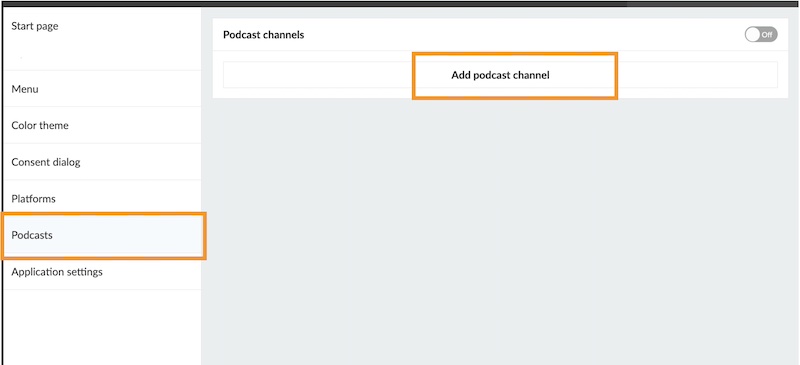
Add a podcast channel
- Go to Applications
- Select your application
- Choose the menu option Podcasts
- Click on Add podcast channel
- Add your RSS feed and click Add
Note: A podcast is always connected to an RSS feed, which contains all episode information and links to the audio files. Since Prenly does not host audio files, your podcast must be hosted externally (for example via Podbean, Libsyn, Buzzsprout, or your own server).
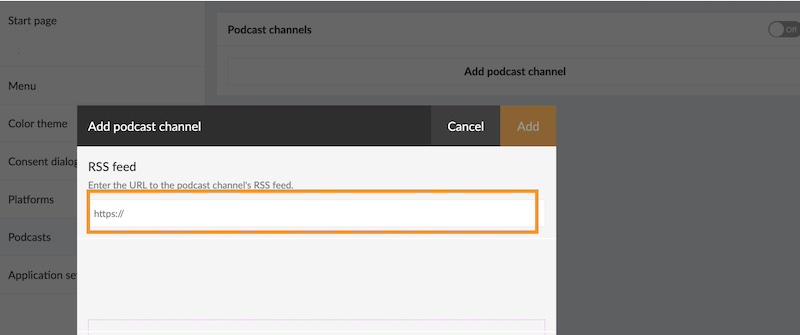
Configure access (optional)
You will be able to control access if you want to restrict access to subscribers only.
Publish the podcast
Turn the switch at the top to “On”. This activates the feature.
Next, let's make sure the podcast is visible in your apps.
Display podcasts in your apps
On the startpage
- click “Add new component”
- choose “Podcast”
- configure how it should look
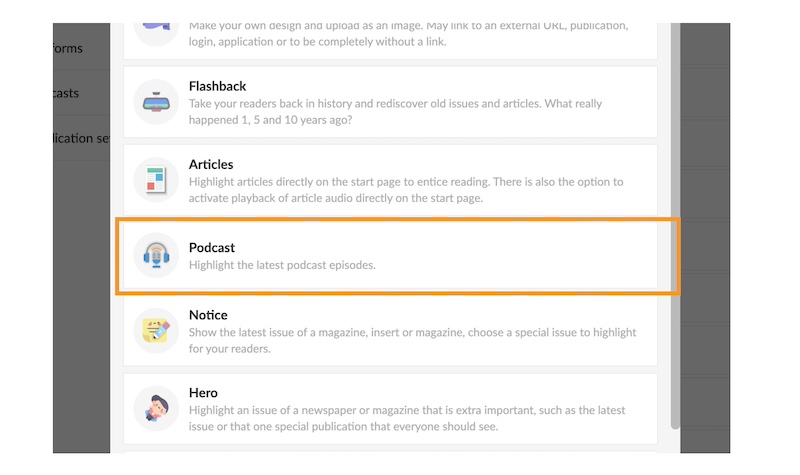
You can decide whether to show episodes from all podcasts or only selected ones.
Adding this component is important — it helps users discover your content faster and increases the chances that they actually press play.
In your web application
- Add a podcast item in the menu of your web application
- Decide if you would like to place it in the expandable menu or as a visible icon next to it.
On your native app
- Add a podcast section as a tab in your mobile apps
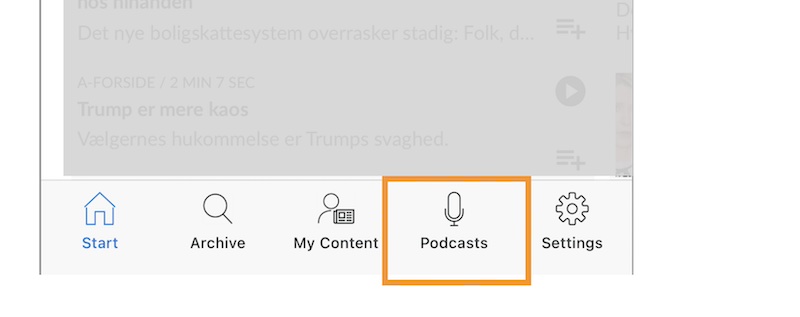
Updates
New episodes are automatically synced from your RSS feed.
Note: Updates are not instant and may take a few minutes due to caching.
Tip
You are not limited to your own content either, as you can also include podcasts from partners to expand your offer and give your readers more to explore.