ElevenLabs with Prenly | AI Text-to-Speech for Newspapers and Magazines
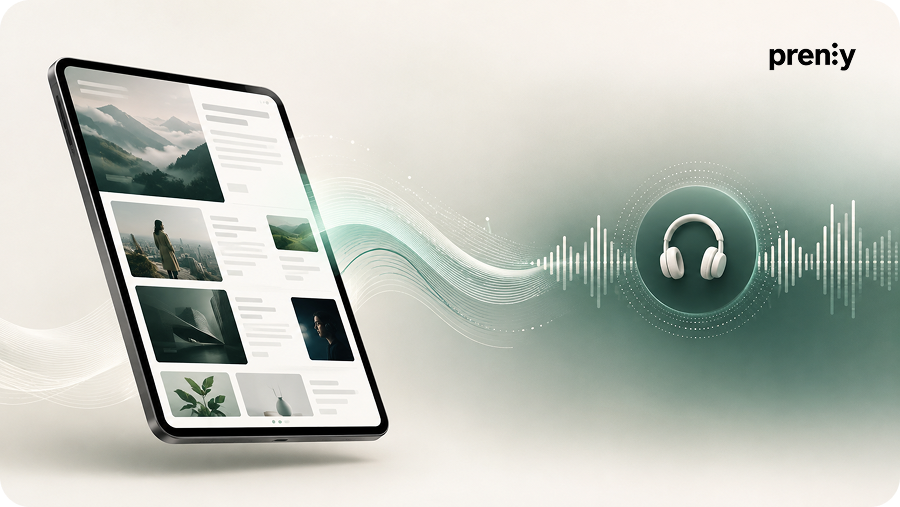
For newspapers, magazines and other publishers, this means readers can choose to listen to articles instead of only reading them. Enhanced Text-to-Speech uses voices from external text-to-speech providers instead of the standard voices built into browsers, mobile phones and other devices.
What is Enhanced Text-to-Speech in Prenly?
Enhanced Text-to-Speech converts written articles into audio using voices from external text-to-speech providers.
Compared with the standard voices available in browsers and mobile devices, these voices can offer more natural pronunciation, better rhythm and intonation. This creates a better listening experience while also giving readers another way to access the content.
Enhanced Text-to-Speech can be used to:
- make content more accessible,
- give readers the option to listen to articles instead of reading them,
- improve audio quality and create a more natural listening experience,
- improve narration for languages where standard device voices are limited.
Does Prenly support ElevenLabs?
Yes. ElevenLabs is one of the text-to-speech providers currently supported by Prenly as part of Enhanced Text-to-Speech.
To use ElevenLabs with Prenly, you first need an ElevenLabs account and the credentials required for the integration. You then send these details to Prenly, and we configure Enhanced Text-to-Speech for your publication.
Prenly currently supports the following text-to-speech providers:
This allows you to compare different voices and choose the provider that best suits your publication's language and requirements.
How does the ElevenLabs integration work with Prenly?
Once Enhanced Text-to-Speech has been configured, audio generation becomes part of your existing publishing workflow. You continue uploading new publications to Webarch as usual. The audio is then generated, imported and made available automatically.
How the process works, step by step
Create an account with a provider supported by Prenly, such as ElevenLabs.
Depending on the provider, this may include an API key, selected voice, language or region.
Send the required credentials to Prenly so the integration can be configured for your publication.
Continue uploading new publications to Webarch as part of your normal publishing workflow.
The audio is generated, imported and made available automatically for the new publication.
What do you need to use ElevenLabs with Prenly?
To activate Enhanced Text-to-Speech with ElevenLabs, you first need an ElevenLabs account.
Once the account has been created and you have received the required credentials, send them to hello@prenly.com. Prenly will then configure the integration for your publication.
The exact details required depend on the text-to-speech provider you choose. They may include:
- selected voice,
- Speech Key, API key or JSON key file,
- region,
- language,
- voice gender.
Once the integration has been configured, you can continue uploading publications to Webarch as usual. The audio is then generated, imported and made available automatically.
Please note: only publications uploaded after Enhanced Text-to-Speech has been activated will receive enhanced audio. Existing publications are not processed automatically.
Why use Enhanced Text-to-Speech?
Enhanced Text-to-Speech gives readers another way to access your content. Instead of only reading an article, they can also listen to it.
By using external text-to-speech providers, publishers can also choose voices with more natural pronunciation, rhythm and intonation than many of the standard voices available in browsers and mobile devices.
Make content more accessible
Offering articles as audio makes the content available in an additional format and gives readers more ways to access it.
Let readers choose between reading and listening
With Enhanced Text-to-Speech, the same article can be made available both as text and as narrated content.
Create a more natural listening experience
Enhanced Text-to-Speech uses voices from external providers instead of the standard voices in browsers and mobile devices. Depending on the provider and voice selected, this can provide better pronunciation, rhythm and intonation.
Which text-to-speech providers does Prenly support?
Prenly currently supports Enhanced Text-to-Speech with the following providers:
- ElevenLabs
- Microsoft Azure
- Google Cloud Text-to-Speech
- Amazon Polly
- Narakeet
The quality of the generated audio depends on the provider and voice selected. It can therefore be useful to compare the available voices from the different providers before deciding which solution best suits your publication.
ElevenLabs is one of several options
ElevenLabs is not the only text-to-speech provider that can be used with Prenly. You can also choose Microsoft Azure, Google Cloud Text-to-Speech, Amazon Polly or Narakeet.
This allows you to select a provider based on the voices, languages and settings that best suit your publication.
Frequently asked questions about ElevenLabs and Prenly
Can you use ElevenLabs with Prenly?
Yes. ElevenLabs is one of the text-to-speech providers currently supported by Prenly as part of Enhanced Text-to-Speech.
Does Prenly have an ElevenLabs integration?
Prenly supports ElevenLabs as a text-to-speech provider within Enhanced Text-to-Speech. Once the configuration is complete, ElevenLabs can be used to generate audio for new publications.
Do we need our own ElevenLabs account?
Yes. To use ElevenLabs with Prenly, you first need to create an ElevenLabs account and obtain the credentials required for the integration.
How do we connect ElevenLabs to Prenly?
Once you have created an account and obtained the required details, send them to hello@prenly.com. Prenly will then configure Enhanced Text-to-Speech for your publication.
Is the audio generated automatically?
Yes. Once the integration has been configured, you continue uploading publications to Webarch as usual. The audio is then generated, imported and made available automatically.
Which other text-to-speech providers does Prenly support?
Prenly currently supports ElevenLabs, Microsoft Azure, Google Cloud Text-to-Speech, Amazon Polly and Narakeet.
Will existing publications automatically receive Enhanced Text-to-Speech?
No. Only publications uploaded after the integration has been activated will automatically receive Enhanced Text-to-Speech. Existing publications are not processed automatically.
Is the audio quality the same with every provider?
No. The quality of the generated audio depends on the text-to-speech provider and voice selected.
Learn more about Enhanced Text-to-Speech
For technical information about configuration, credentials and the text-to-speech providers supported by Prenly, read our Enhanced Text-to-Speech guide.
Want to use ElevenLabs with Prenly?
If you would like to activate Enhanced Text-to-Speech for your publication, have questions about the configuration or would like more information about pricing, please contact us at hello@prenly.com.